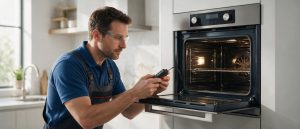
Cookware heating up next to the control panel triggered F5 on this range. Move it away and touch a control once the zone has shut off.
Model compatibility: Bosch reuses codes across series and model years, so F5 may mean something different on another appliance or generation. Confirm this against your model’s documentation and record your full model number before acting.
Plain language
What this code means
Hot cookware beside the control panel is threatening to overheat the electronics, or has already made a cooking zone switch off.
If your Bosch induction slide-in range displays F5, look at what is sitting beside the control panel. The code points to hot cookware placed close to the controls, and Bosch’s slide-in range page describes it in two different situations.
Two versions of F5
Power level flashing, with a signal tone. This is the early warning. The electronics could overheat, yet nothing has been switched off. Slide the cookware away from the control panel and carry on. Bosch lists no other step for this case.
Signal tone only, no flashing. The range has already acted: the cooking zone shut itself off to protect the electronics.
Getting a shut-off zone going again
Move the cookware off the area near the control panel.
Pause for a few seconds.
Touch any one of the range’s controls.
When F5 has cleared and the electronics have cooled sufficiently, select the zone again and resume cooking.
Prevention near the panel
Large pans and hot lids are the first things to look for around the control panel. Keeping spills wiped off the panel is also sensible housekeeping.
Common questions
Is the oven involved? Bosch’s wording covers the cooking zone and the electronics by the control panel only. It says nothing about the oven.
What if nothing is near the controls and F5 still shows? Bosch presents F5 purely as a cookware-position code. A display of F5 with a clear panel area is a reason to have the range looked at.
Codes to compare
F2: overheated electronics, with the matching cooking zone shut off.
F4: overheated electronics, listed in the same entry as F2 on the slide-in page.
Slide-in range service in Los Angeles
For Bosch slide-in range service in Los Angeles, call (310) 879-1577 when F5 persists with the panel area clear. Mention whether the power level was flashing, and have the model number nearby. Details of the oven and range repair work are on our service page.
Important safety warning. Do not attempt repairs involving electrical components, gas, water lines, refrigerant or sealed systems. Unplug the appliance if it is safe to reach the outlet, and leave internal diagnostics to a qualified technician.
Seeing this code on your Bosch appliance?
Book a specialist visit for a clear estimate and approval before any repair.